|
Complete Statistics with 3D Graphics
Sudoku Up has a unique scoring system. You won't only have to play
against time. You can achieve higher scores as well. |
|
|
Selecting a Game Number
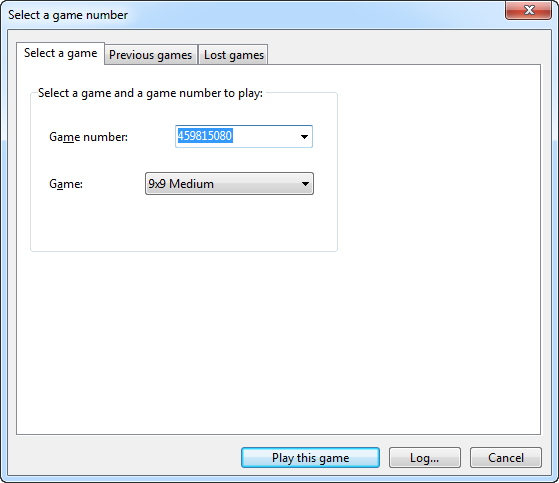
Each game has a Game Number that identifies the shuffle starting
position. Play the same Game by selecting the same Game Number. You can select between thousands of possible Games.
|
|
|
"Show valid moves" command Use this command to show all the legal moves in the game. You can also press the "M" key to run this command.
|
|
|
New Player's pictures feature With
Sudoku Up 2020, you can add a picture for a player. Sudoku Up provides, by default, a series of pictures (for example: boy, girl, man, woman, etc.). You can also use your own images by clicking the "Add your customized images" button.
|
|
|
Auto Pencil Marks
The New Auto Pencil Mark option has been added to the Game menu. By enabling Auto Pencil Marks, the program will fill every empty cell with all the numbers that can theoretically go there.
|
|
|
Show Cells with A...
The New "Show Cells with A..." option has been added to the Game menu.
With this function, all the cells that contain the selected Number or Pencil Mark will be highlighted in the grid.
|
|
|
Other features
-
Thousands of different
Sudoku games!
-
Save, open and restart games
-
Player's options
-
Customize Grids and Backgrounds
-
Change backgrounds by using .bmp customized image files
-
Unlimited levels of the undo/redo feature
-
Chart your statistics with graphs, 3D pie and bar charts and tables. Options include total games, current session, series of wins, players' games won, players' scores and hi-scores,
statistics for all games, won and lost games, and skipped games.
-
Choose sounds and Game Won animation
-
Customizable Toolbars
Zoom in on statistics
Print games
...and much more!
|
|
System requirements
-
One of the following operating systems: Microsoft
Windows 10 (32-bit and 64-bit; all editions),
Windows 8/8.1 and Windows 8/8.1 Pro (32-bit and 64-bit). -
512 megabytes (MB) of RAM or higher. -
800 x 600 screen resolution or higher. -
HiColor 16 bit
display adapter or higher.
|